Disclaimers
I’m guessing you already installed java, downloaded the official Minecraft launcher from https://www.minecraft.net/download, that you already logged on your Microsoft (Minecraft) account and that you played Minecraft 1.20.1 at least once.
Guide start
First what you have to do is install the installer for the mod loader, you can find out what launcher and version we are using in this channel.
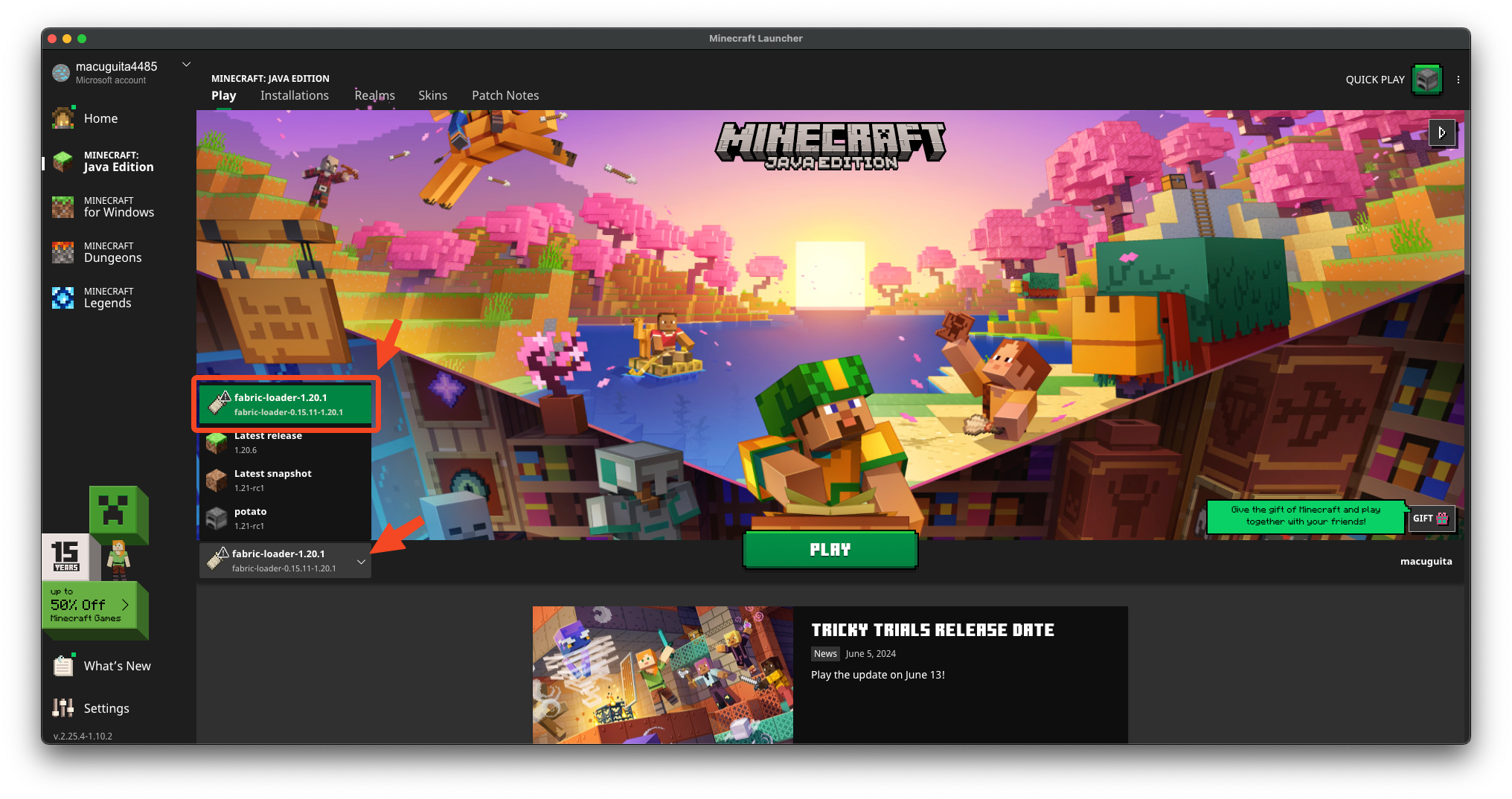
After the mod loader finishes downloading make sure it is installed by opening your Minecraft launcher and looking through your instances, you should see that the mod loader is installed like it shows on the picture below (does NOT have to be the same one as the picture)
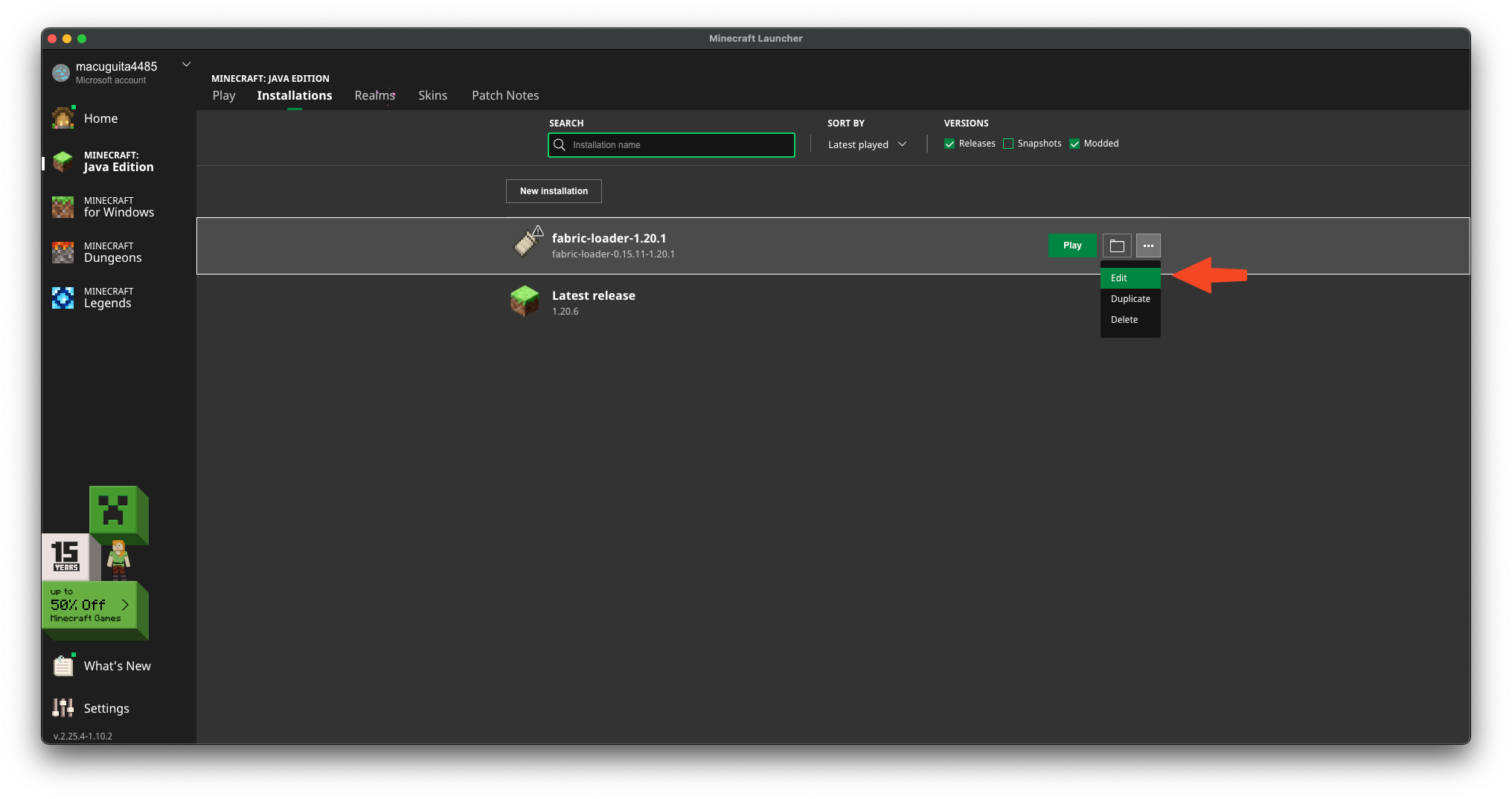
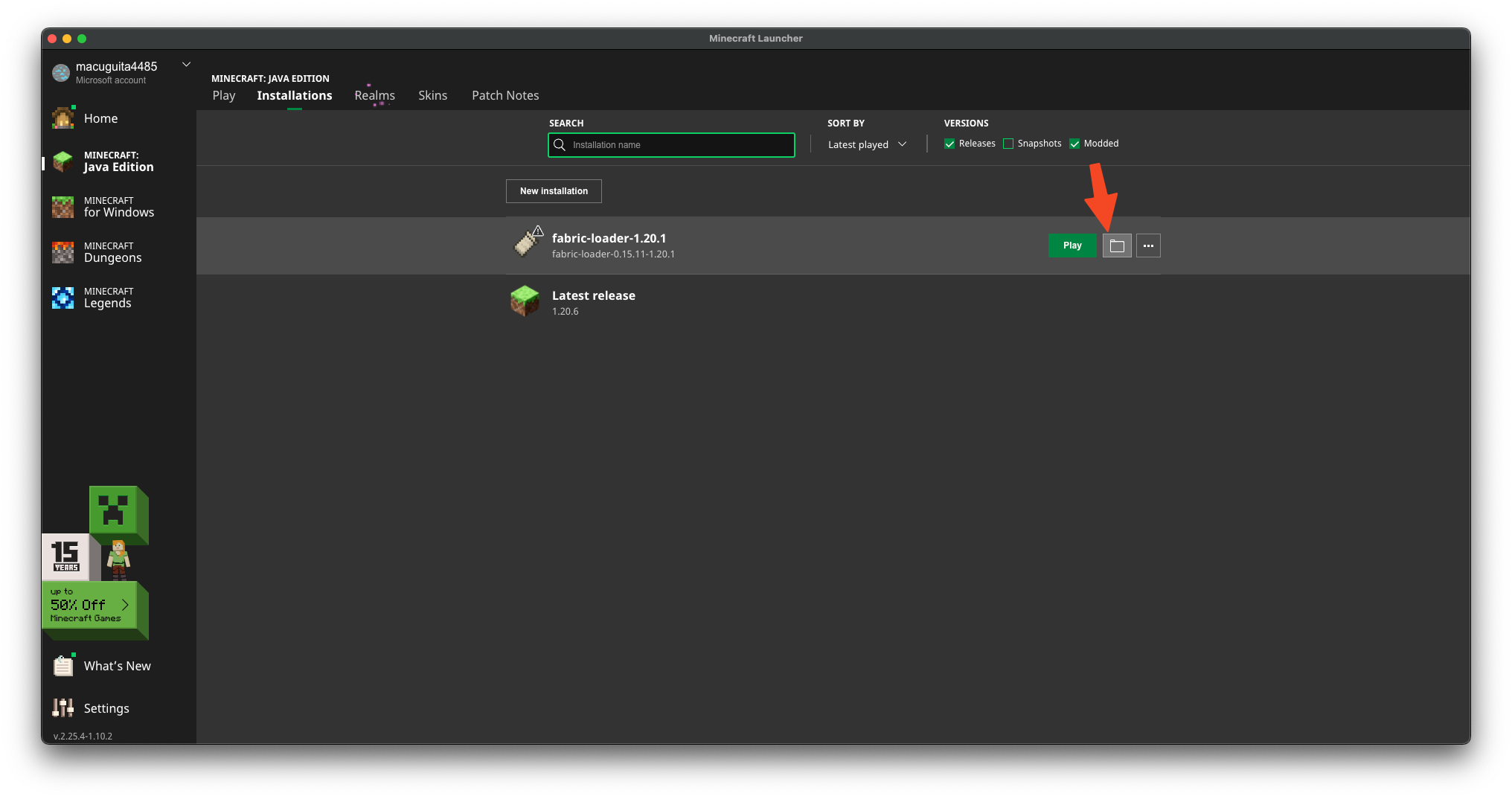
 After that head to the “Installations” tag at the top of your screen and click edit under your modded installation
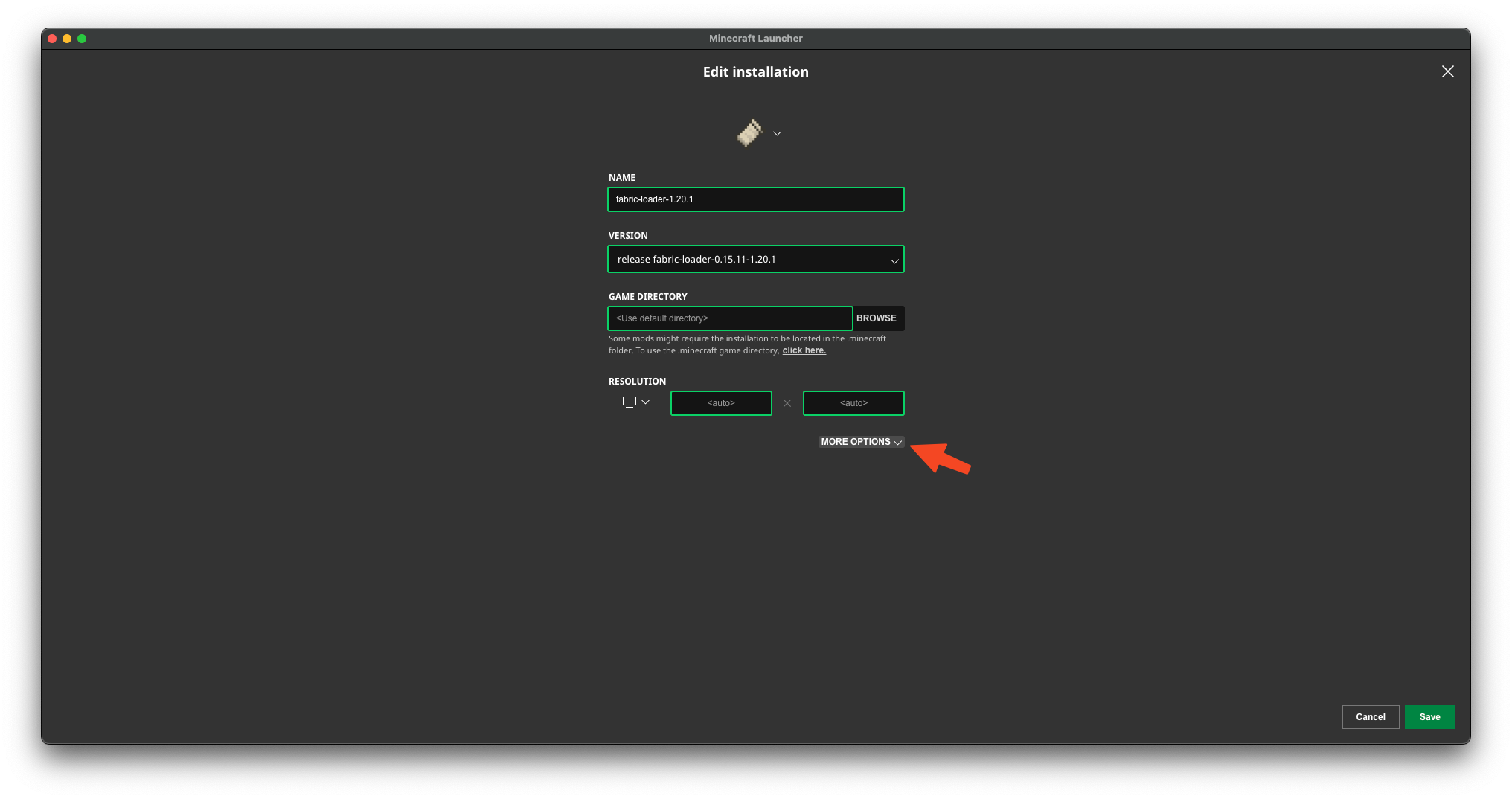
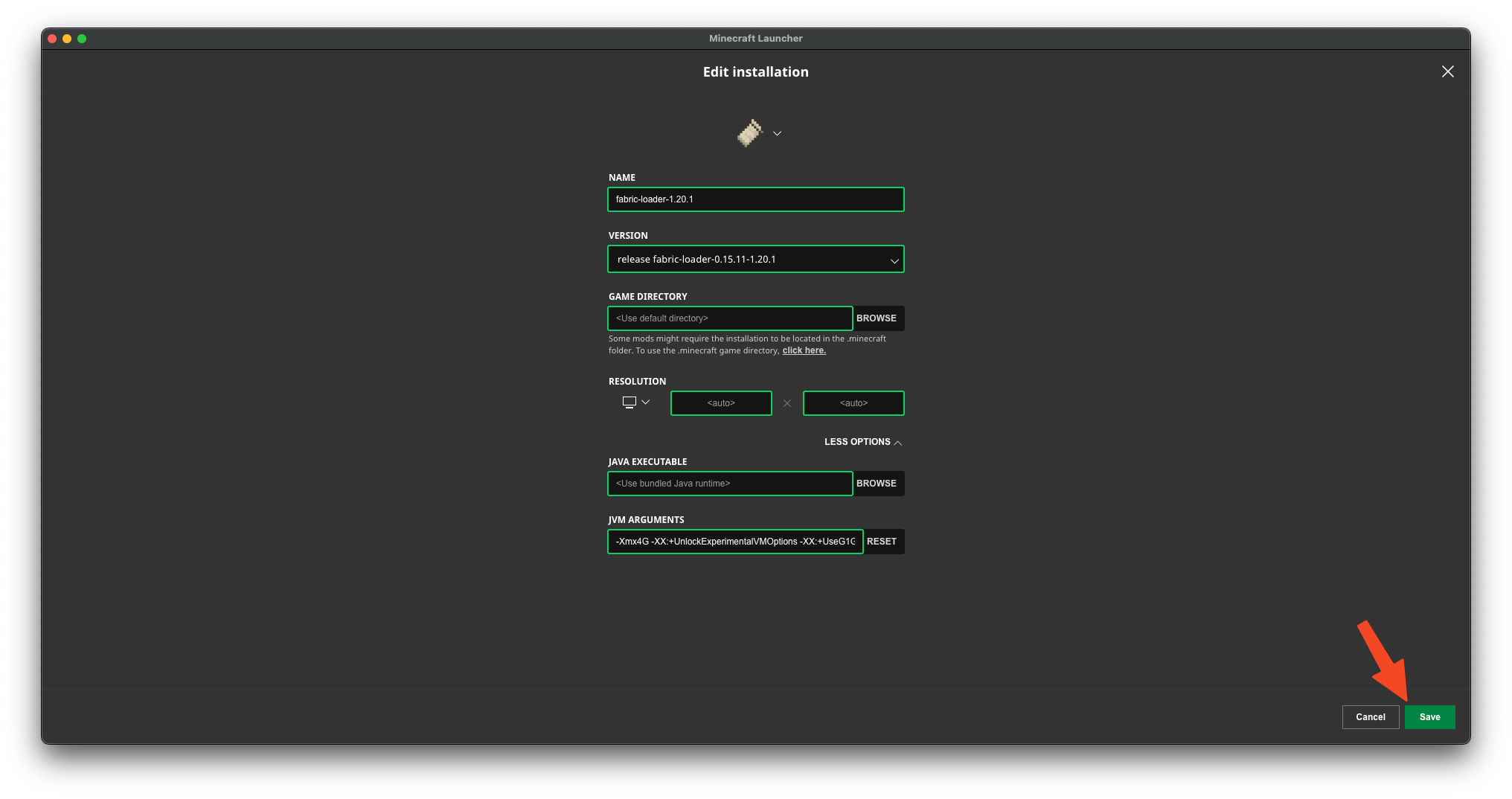
 You will then be prompted with this screen, please click more options
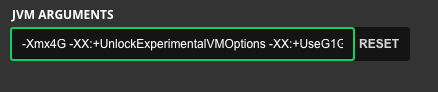
 You mush change “-Xmx2G” to “-Xmx4G”, You are simply changing the 2 to a 4. Once you’ve done that, click save
 Once that is completed, head over to the modpack Discord channel and download files from the Google Drive link!!!!!!. Then, proceed to open up the modded installation’s mod folder. Drag the unzipped!!!!!!. mods into that folder.
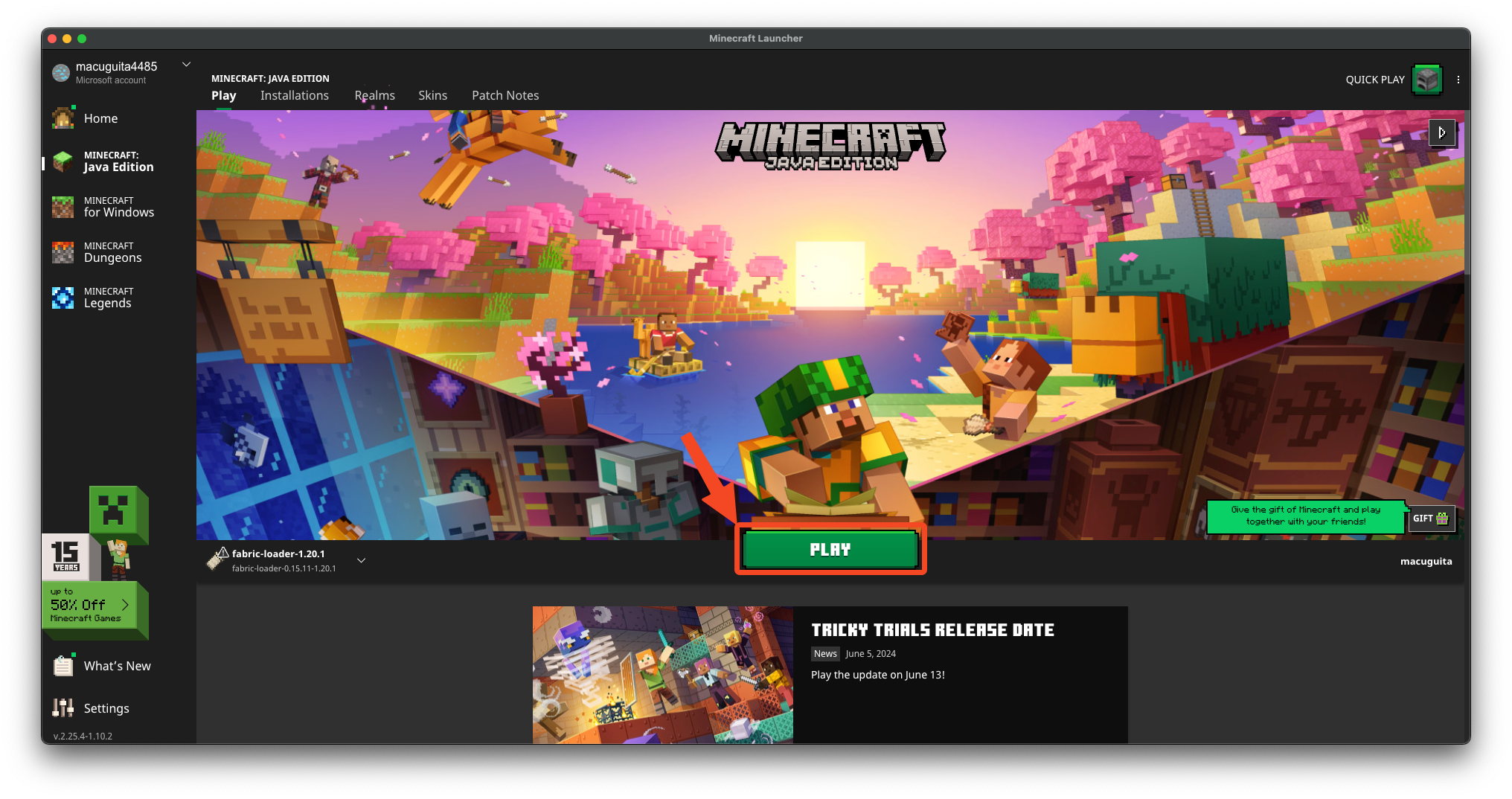
 Once you’ve completed all of those steps, the mods should be installed and you can boot up minecraft through the launcher. By clicking the green “Play” button, It takes around 1 minute to load, probably less if you have a good computer.
 Once it loaded you should be greeted by a screen that looks like this
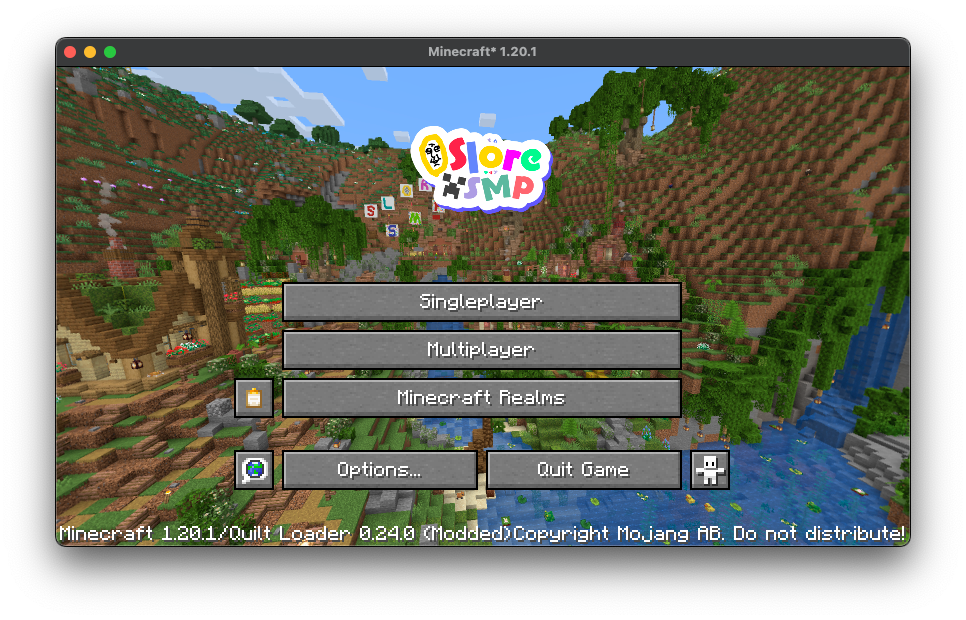 Click on the “Multiplayer” button
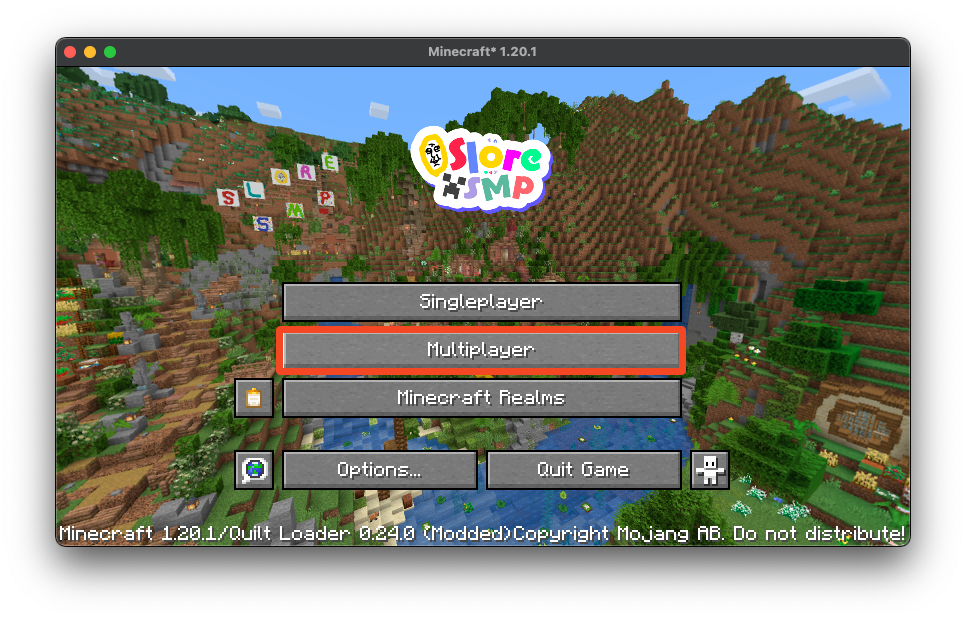 You should see a screen that looks like this, click on the “Add Server” button
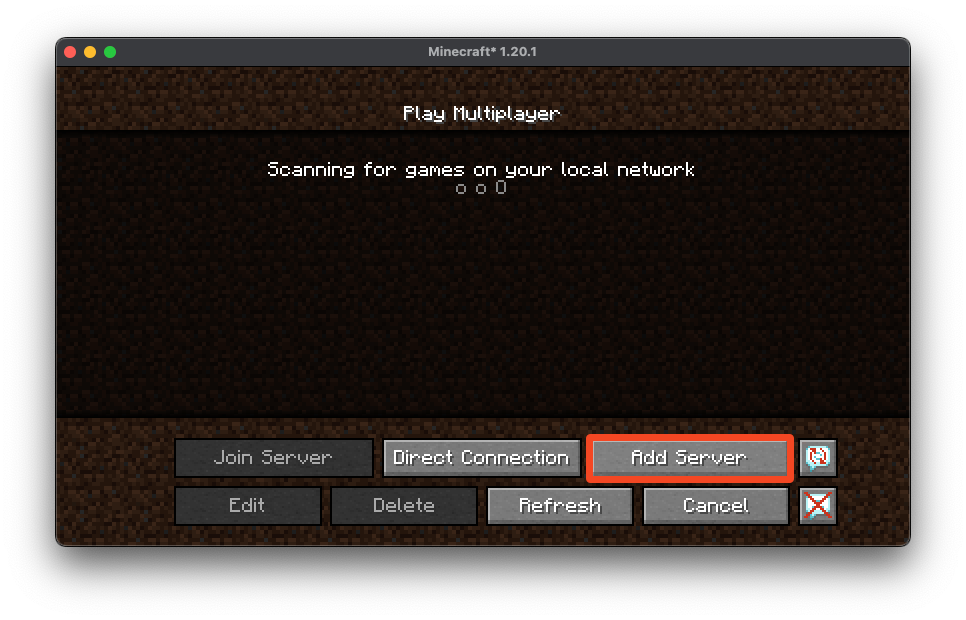 After that you should see a screen like this, fill out the spaces like I did with the server information.
The server’s IP address is on this Discord channel.
After that you should see a screen like this, fill out the spaces like I did with the server information.
The server’s IP address is on this Discord channel.
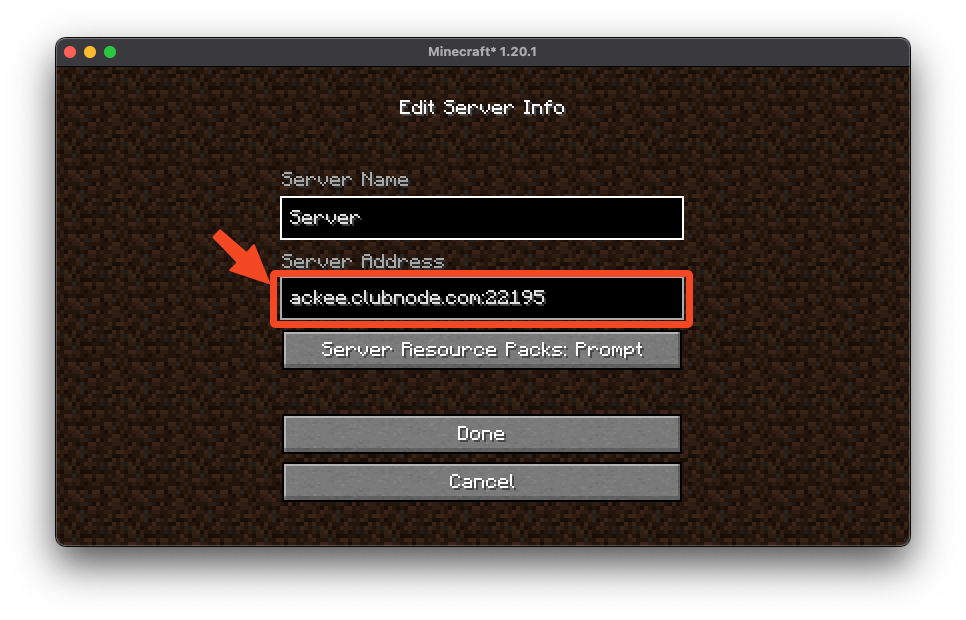 Once you did all of that click the “Done” button and make sure to select the server and click “Join Server”!
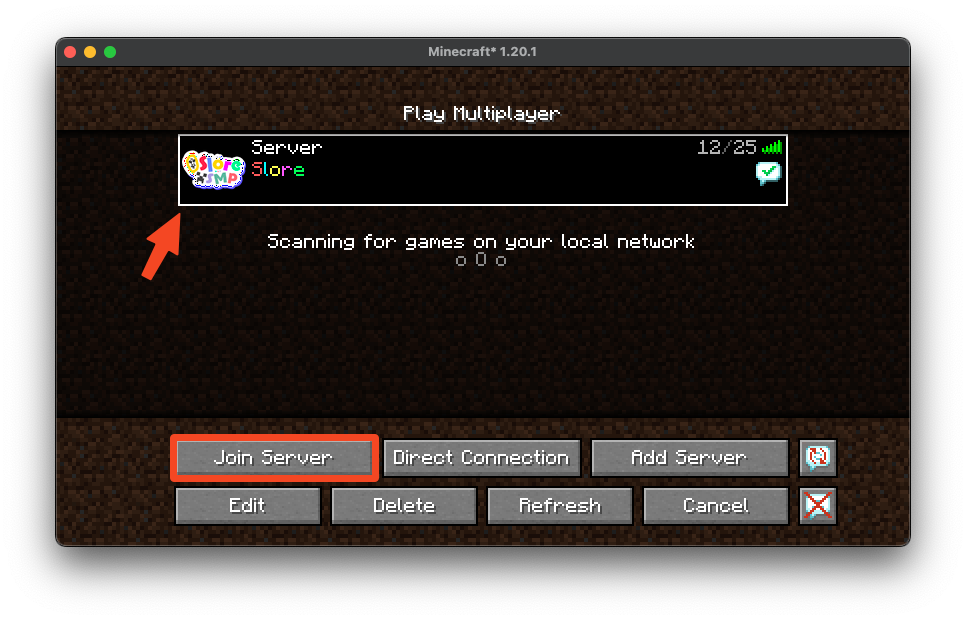 After this you should be in the server and are free to play! Make sure to follow the Rules!